Serial, Telnet and network tools
Serial consoles
Serial at the top of the sidebar opens a console on a COM port (Windows)
or /dev/tty… device (macOS, Linux). Choose the port, speed, data bits,
parity, stop bits and flow control; 9600 8N1 is the usual setting for
network equipment. On Linux your user usually has to be in the dialout
group (sudo usermod -aG dialout $USER, then log in again).
Telnet
For devices that offer nothing else, create a session of type Telnet (unencrypted). Everything you type, including passwords, can be read on the network. Choose a jump host (Connect via) so that only the last leg, from the jump host to the device, is unencrypted. Telnet can also go through the proxy in Settings.
Network tools
Tools in the sidebar footer:
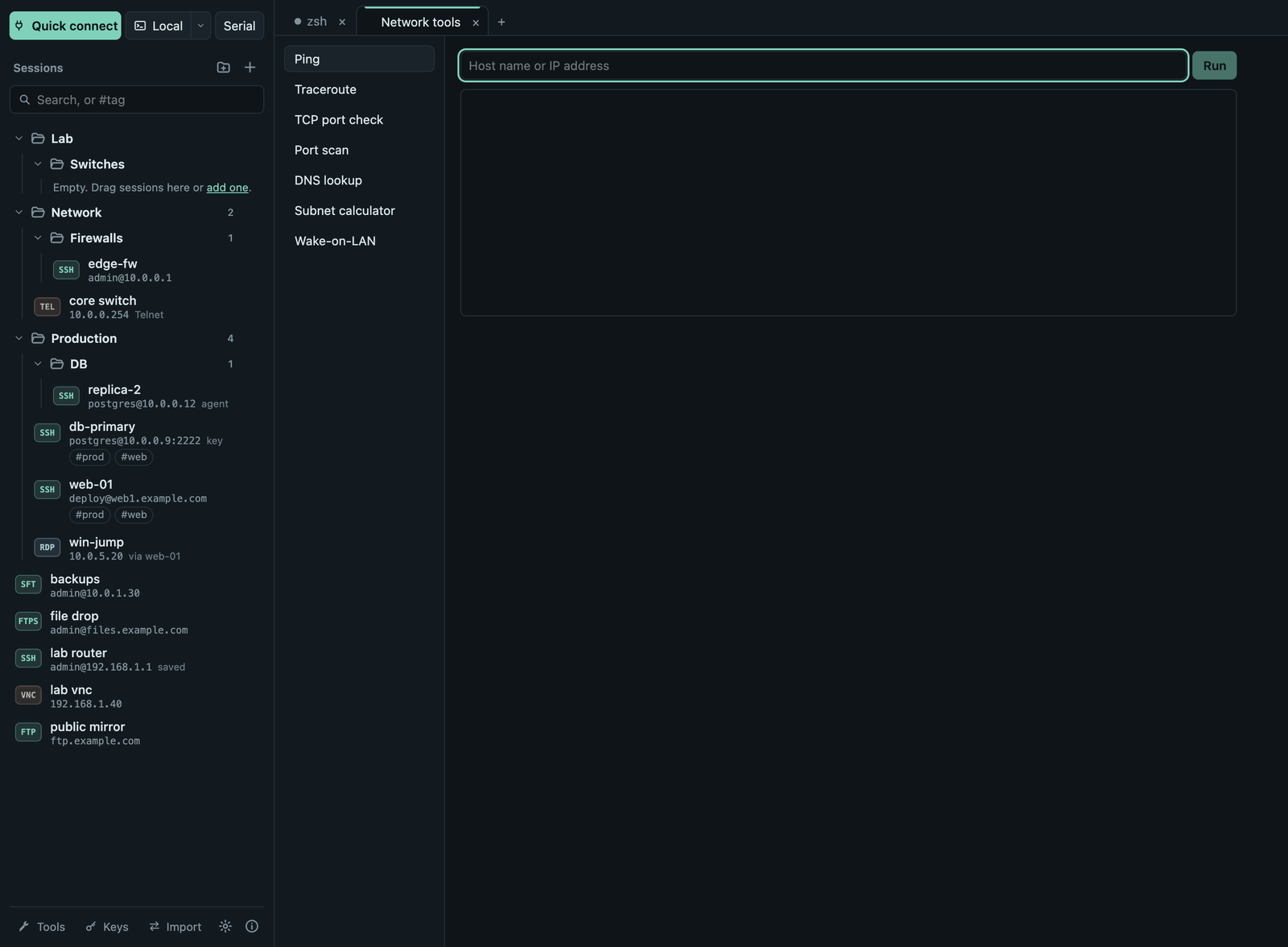
| Tool | What it does |
|---|---|
| Ping | Round-trip times to a host. |
| Traceroute | The route to a host, hop by hop. |
| TCP port check | Whether one port on a host accepts connections. |
| Port scan | Open TCP ports on a host (up to 1024 ports, 64 at a time). Only scan hosts you are allowed to test. |
| DNS lookup | The addresses a name resolves to. |
| Subnet calculator | Network, netmask, wildcard, broadcast and host range for an IPv4 address and prefix. |
| Wake-on-LAN | Sends a magic packet to a MAC address, optionally to a given broadcast address. |
| File servers (TFTP, HTTP, FTP) | Shares a folder of this computer, see below. |
File servers (TFTP, HTTP, FTP)
Tools → File servers (TFTP, HTTP, FTP) shares one folder of this computer for
as long as you need it, for example to copy firmware or a configuration to a
switch over TFTP, to let a server fetch a file with curl, or to give an
older device or a file manager an FTP server.
- Shared folder: Termalith Share in your Downloads folder (Open folder shows it; put the files there), or drop any folder onto the window while this tool is open to share that folder instead.
- Protocol and port: TFTP on port 6969, HTTP on port 8080 or FTP on port
2121 by default. Ports below 1024 (69 for TFTP, 80 for HTTP, 21 for FTP)
need administrator rights on macOS and Linux; many devices let you give the port in the URL instead
(
tftp://192.168.1.23:6969/file.bin). - Allow other computers: off by default, so only this computer can connect. Turn it on to serve devices on your network; the addresses to use are shown with each running server. Your firewall may ask to allow Termalith.
- FTP sign-in: user
termalithand a random password, shown with the running server (Copy password); every start makes a new password. Anonymous sign-in is not offered. - Allow uploads: off by default (read-only). When on, clients can upload
new files and create folders (TFTP write, HTTP
PUT, e.g.curl -T backup.cfg http://192.168.1.23:8080/, FTPput); an existing file is never replaced, and nothing is ever deleted or renamed. - Each running server lists its addresses (Copy) and the recent requests: client, file, size and result. Stop ends it; servers also stop when Termalith quits.
- TFTP supports the block size, transfer size and timeout options; HTTP
supports directory listings and byte ranges, FTP resumed downloads
(
REST). All three are unencrypted (FTP sends its password in plain text): share only what may be seen on the network, and only for as long as needed.